Macros, not miracles.
Your work,
your numbers.
MacroDash is a calorie and macro tracker with workout logging, for people who already know what they’re doing. Your calories, macros and expenditure come from real formulas, never from an AI that guesses. Barcode scanner, a curated library and an assistant to ask whenever you want.

We did the opposite
of what everyone else is doing. On purpose.
You know more than a model.
If you train seriously, you already know your macros, your deficit, your maintenance. MacroDash doesn’t decide for you or push generic plans: you log what you eat without friction and you stay in control. Full stop.
Raw data, not opinions.
Mifflin-St Jeor BMR. NEAT calculated. TEF at 10% of intake. No motivational rounding. No made-up "calories burned". If a number can’t be justified mathematically, it doesn’t show up.
A tool, not a coach.
MacroDash doesn’t judge you, congratulate you or punish you. It’s a digital notebook with a barcode scanner, a shared library and native widgets. Got a specific question? There’s an assistant that answers when you ask and stays quiet the rest of the time. The consistency is on you.
Your whole day,
on a single screen.
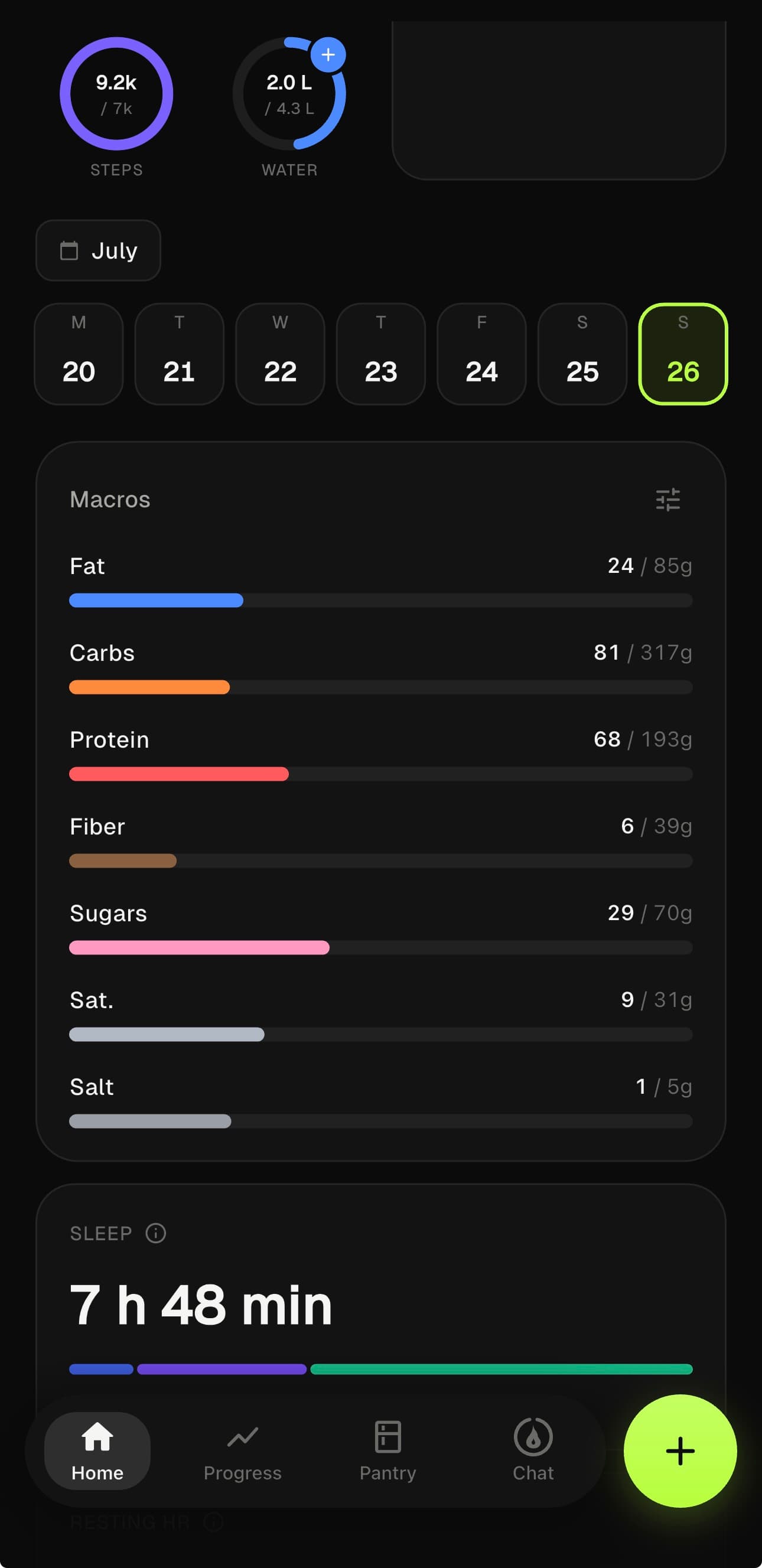
The day’s macros,
at a glance.
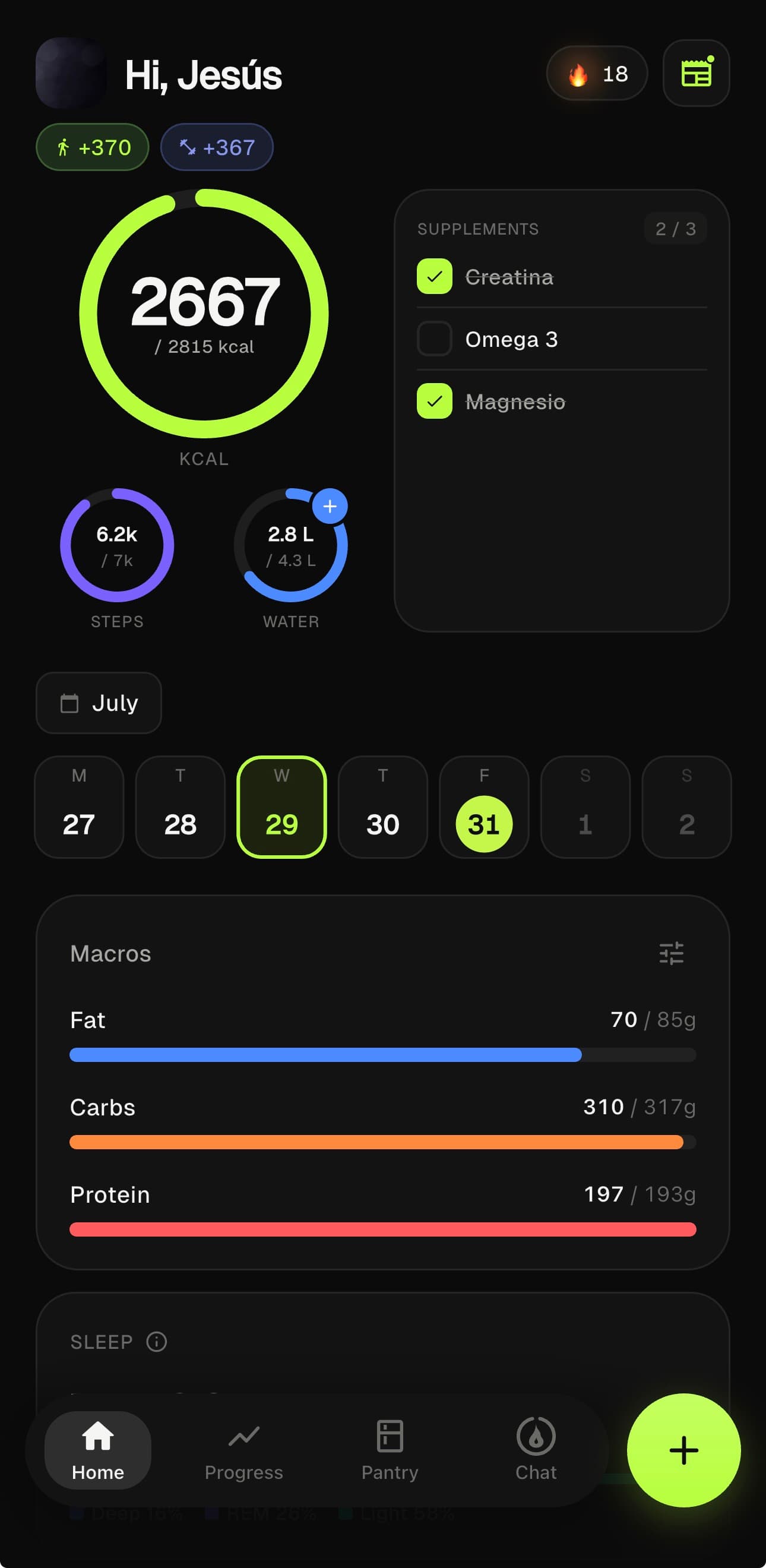
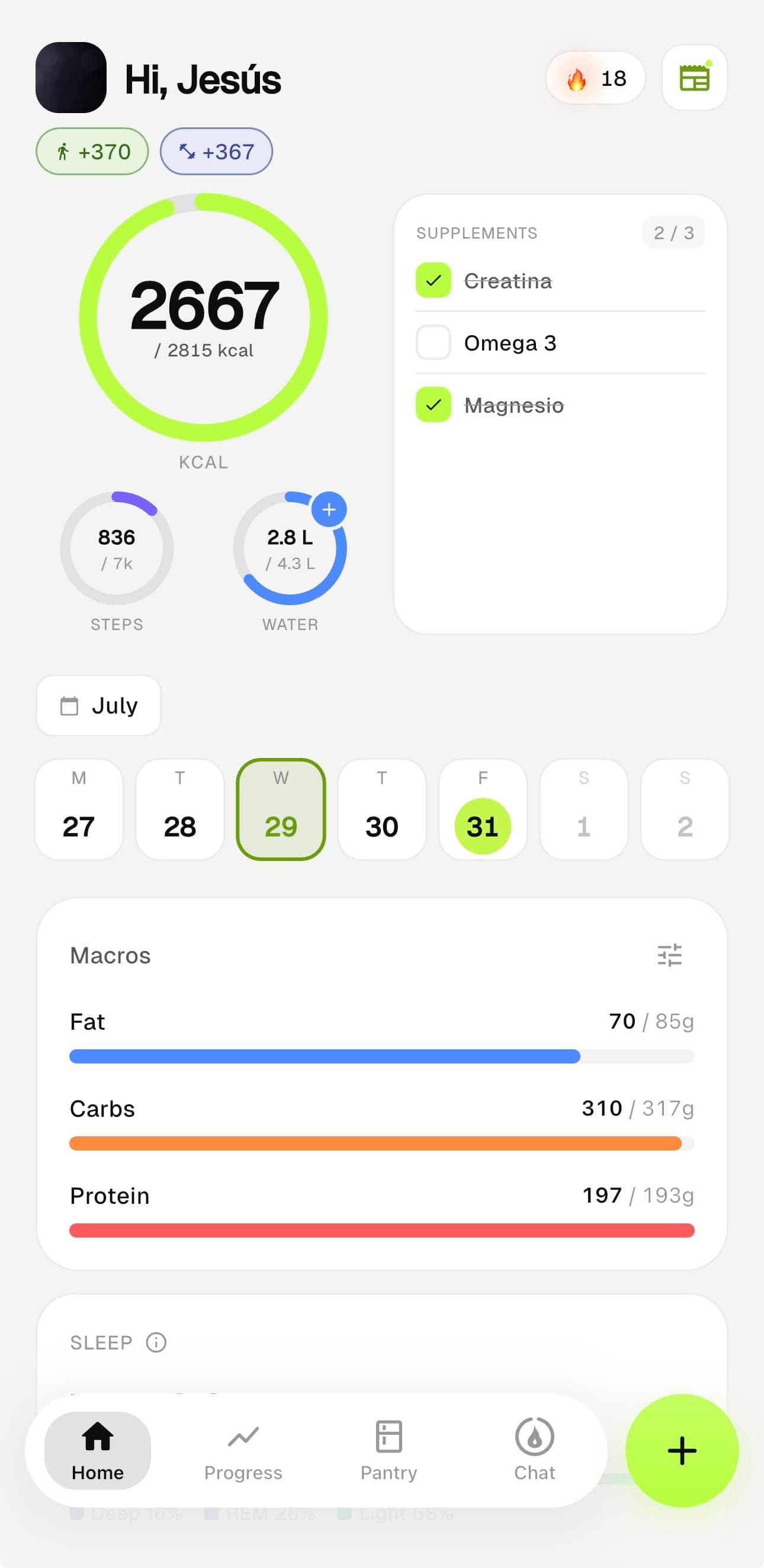
The calories you have left in big figures. The G·C·P bars with your real progress. Steps, water, supplements. The whole day on a single screen, with no needless scrolling.
- 01Navigable weekly calendar · switch days without losing context
- 02Daily snapshot: your targets are frozen to your weight that day
- 03Steps and training add to your expenditure in real time
- 04Light and dark mode, identical to the pixel
Everything you eat,
by meal.
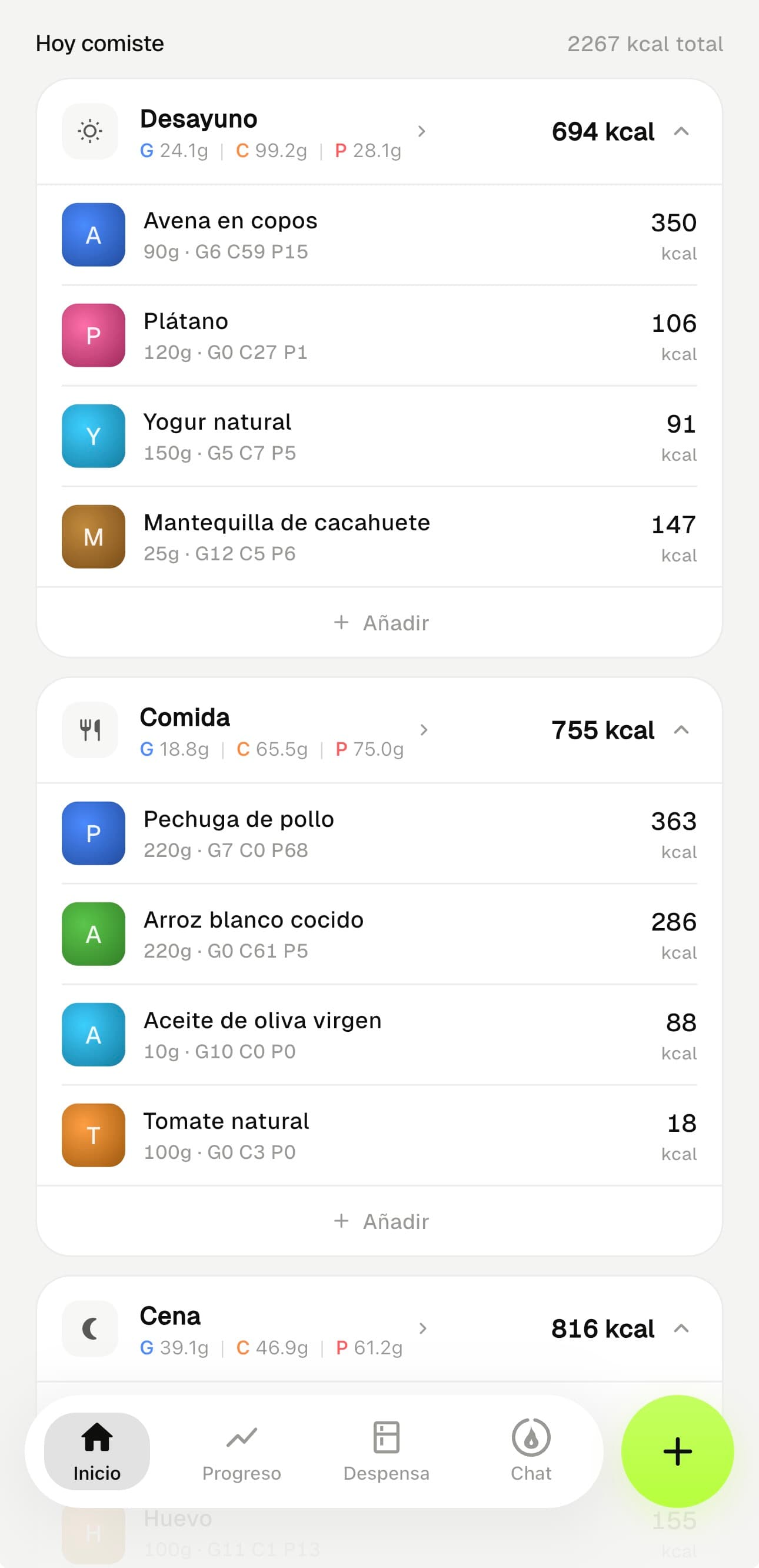
Breakfast, lunch, dinner and your snacks. Each meal with its calories and its G·C·P macros. Each food with its quantity, its brand and what it adds. And your recipes count as just another ingredient of the day.
- 01Per-meal totals: kcal and G·C·P at a glance
- 02Each food with its brand, quantity and real calories
- 03Your recipes go in as one item · with their macros already summed
- 04Only the meals you turned on · breakfast, lunch, dinner and snacks
Down to the last
gram.
Tap the macros and they unfold: fat, carbs and protein, plus fiber and sugars. Each one with its color and its target for the day. The European G·C·P convention, consistent across every bar.
- 01Fat, carbs and protein with real values and targets
- 02Expands to fiber and sugars · each macro with its color
- 03Targets that come from your plan, not a generic average
- 04No motivational percentages · numbers that add up
What actually
happened. No self-deception.
The whole week,
no glossing over.
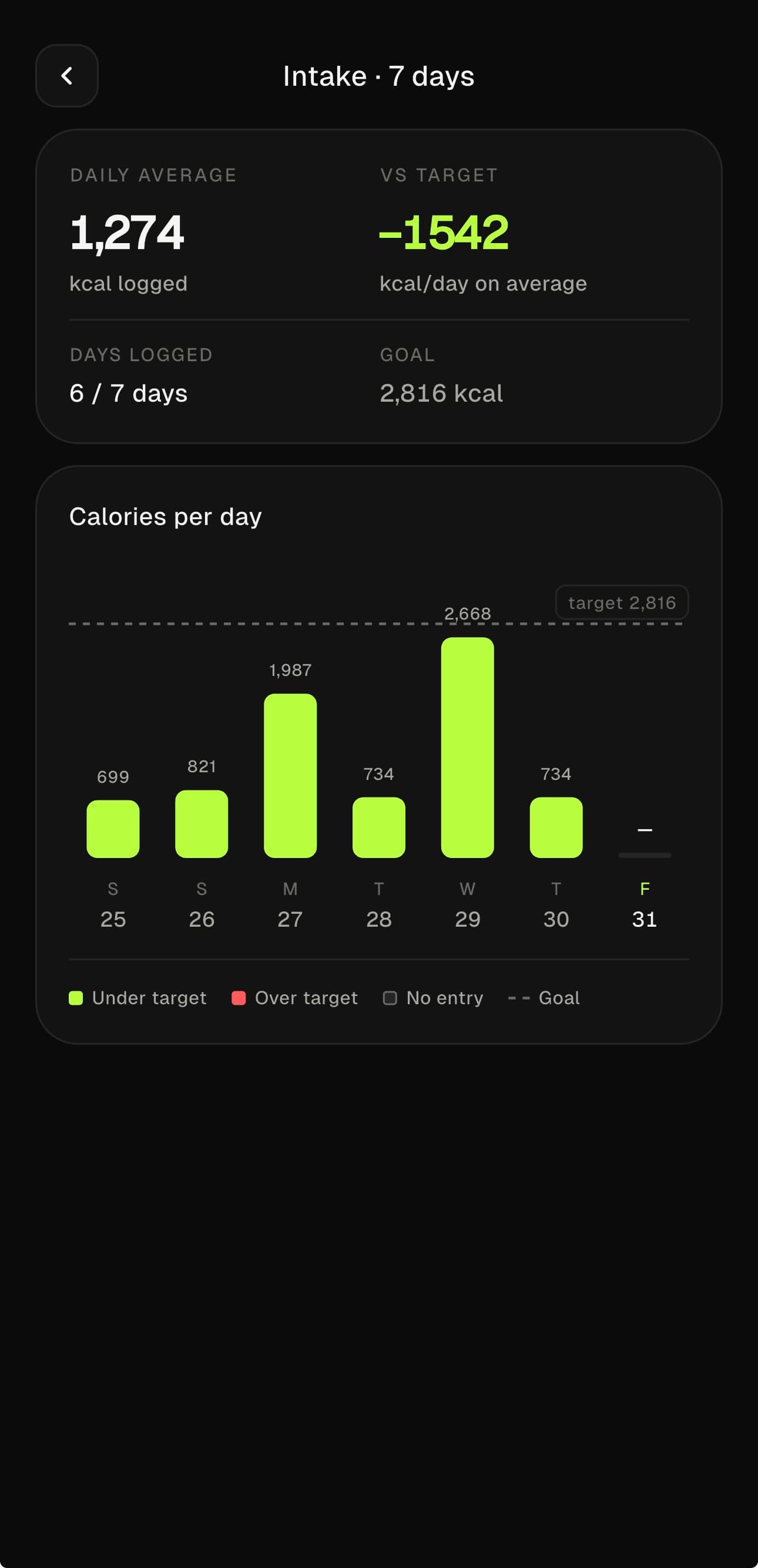
Your daily average against your target. The days you logged and the ones you didn’t. No inflated streaks or medals: just how many calories you actually ate, day by day.
- 01Daily average and real gap against your target
- 02Logged days of the week · the gaps are visible
- 03Each bar: under target, over target or no log
- 04The target, always marked with its line
Every step, in its
right measure.
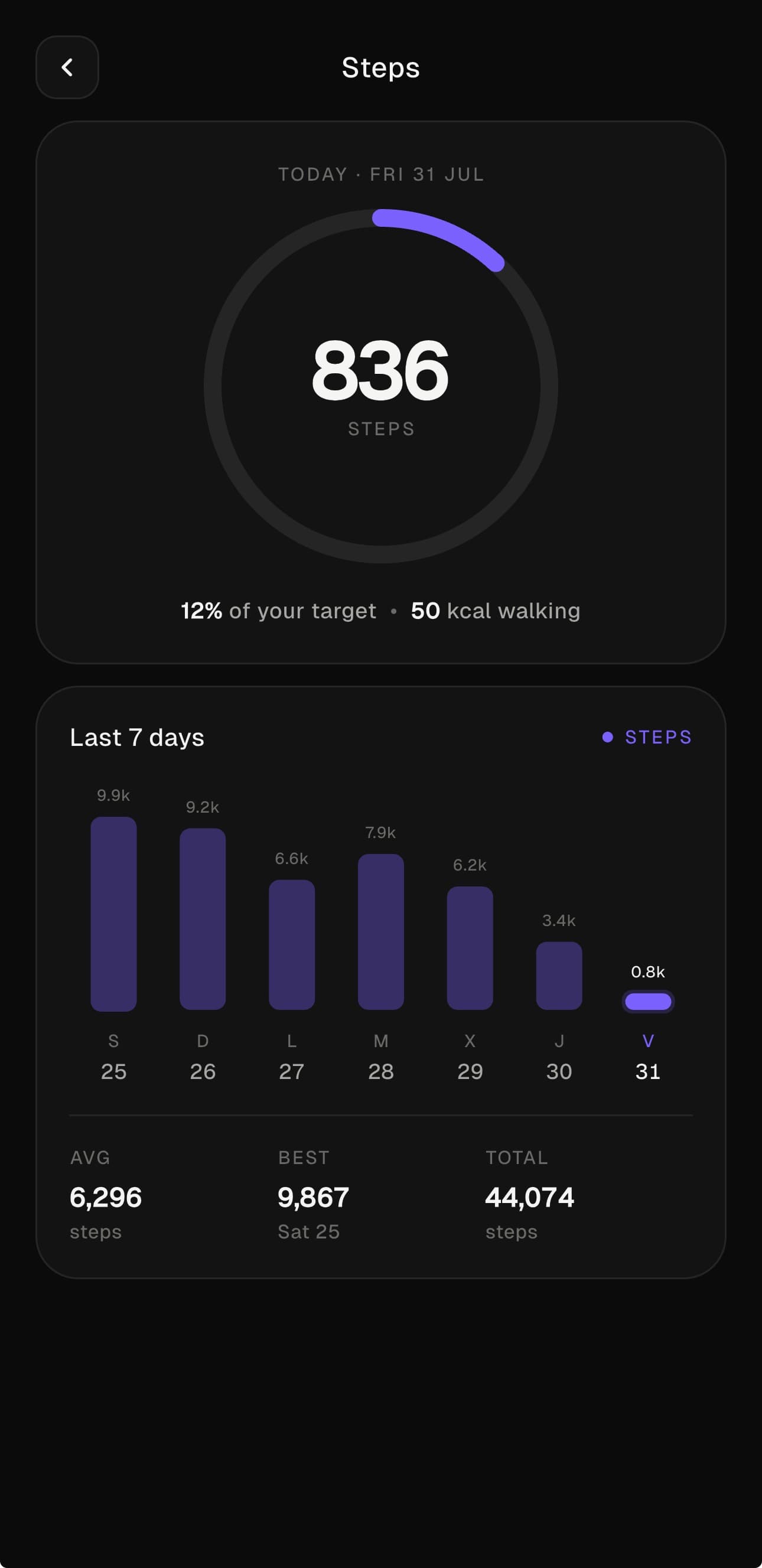
Today’s steps and their energy, worked out with your weight, not inflated. The last 7 days, your average, your best day and the total. They add to your expenditure only for what you actually walk.
- 01Today’s steps and the percentage of your goal
- 02Walking energy worked out with your real weight
- 03Last 7 days · average, best day and total
- 04Integrates with HealthKit, no double counting
Weight, as a
trend.
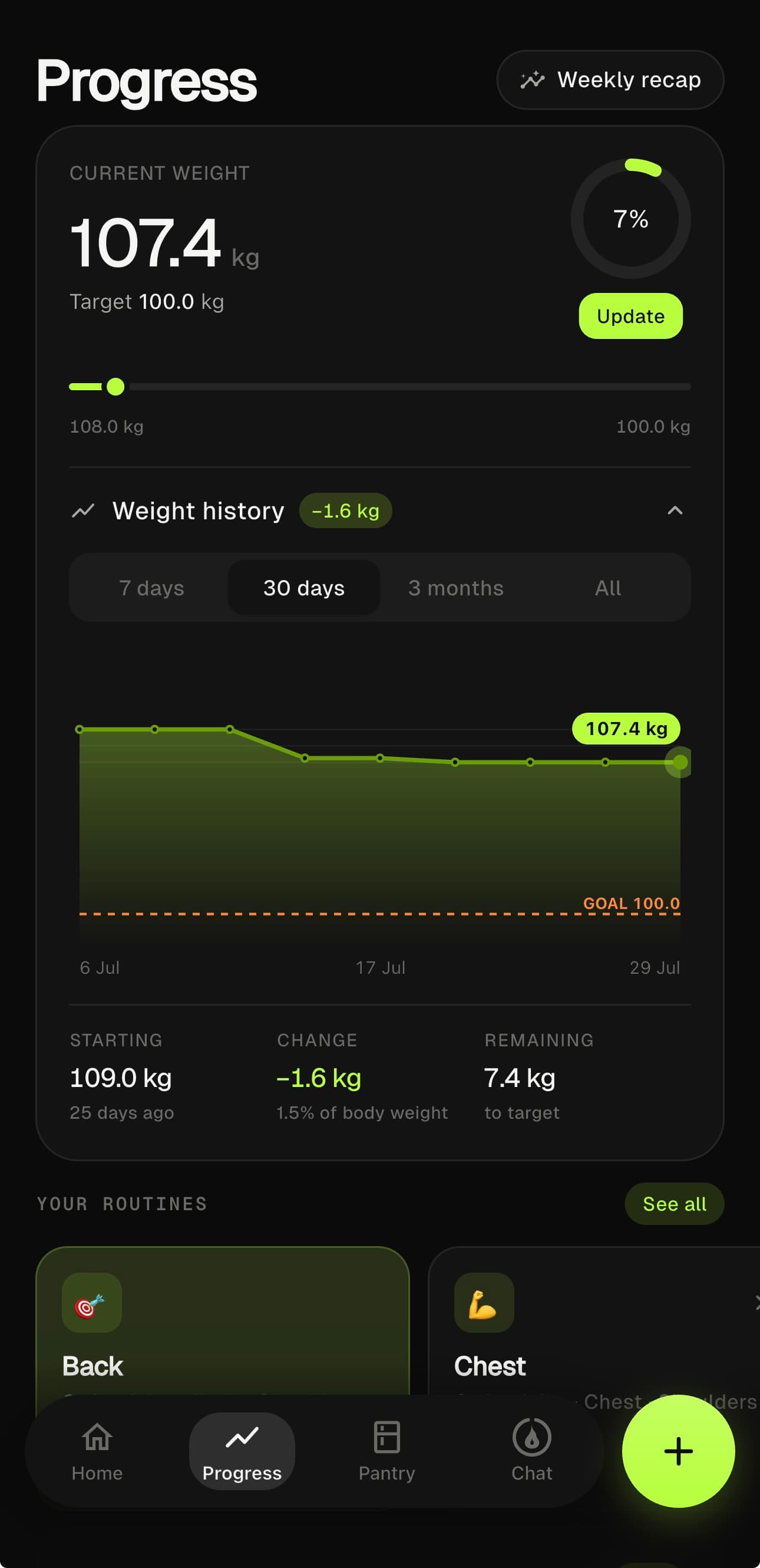
Your current weight, your goal and what’s left. The history over 7 days, 30 days, 3 months or all of it, with your goal always in view. Because what matters isn’t today’s number, it’s the line.
- 01Current weight, goal and kilos remaining
- 02History across several ranges · the goal always visible
- 03Absolute change and as a % of body weight
- 04Update it in two taps
Logging what you eat,
without friction.
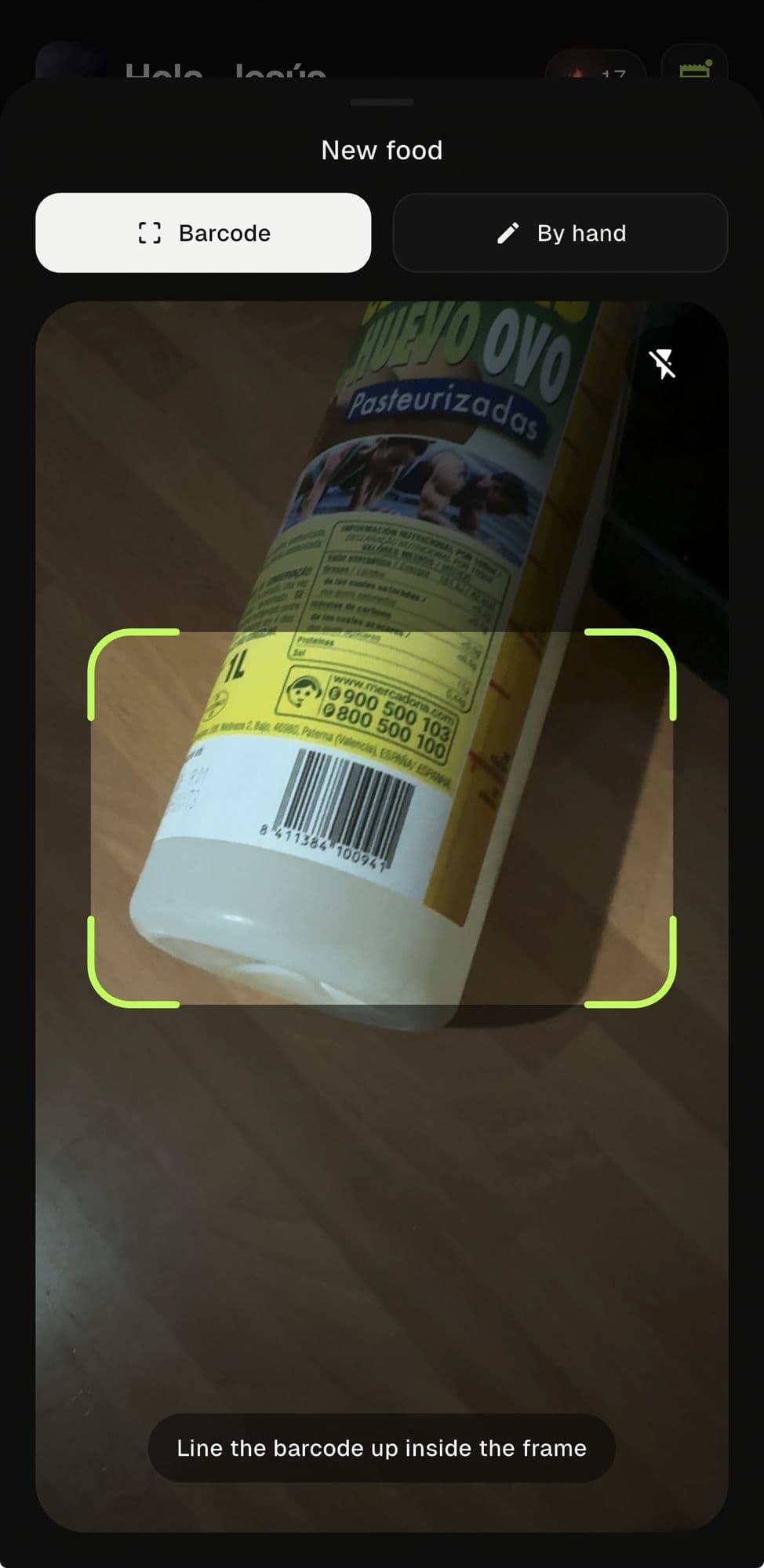
Point at the code,
and that’s it.
The camera reads the barcode and the product drops in with its macros. If it’s on OpenFoodFacts or in your local database, it appears instantly; if not, you create it once and it stays. The camera only reads the code: it doesn’t guess portions or invent calories.
- 01Native barcode reader, fast
- 02Pulls macros from OpenFoodFacts or your local database
- 03What doesn’t exist, you create once · and it’s saved
- 04Only reads the code · no estimating portions or calories
Each macro in
its color.
Fat in blue, carbs in orange, protein in red. The European G·C·P convention applied consistently across every bar, every chip, every chart. Once you learn the code, you understand everything.
- 01Adjust quantity in grams or milliliters
- 02Full breakdown: saturates, sugars, fiber, salt
- 03Assign it straight to breakfast, lunch, dinner or snack
- 04Edits affect your history · the snapshots stay put
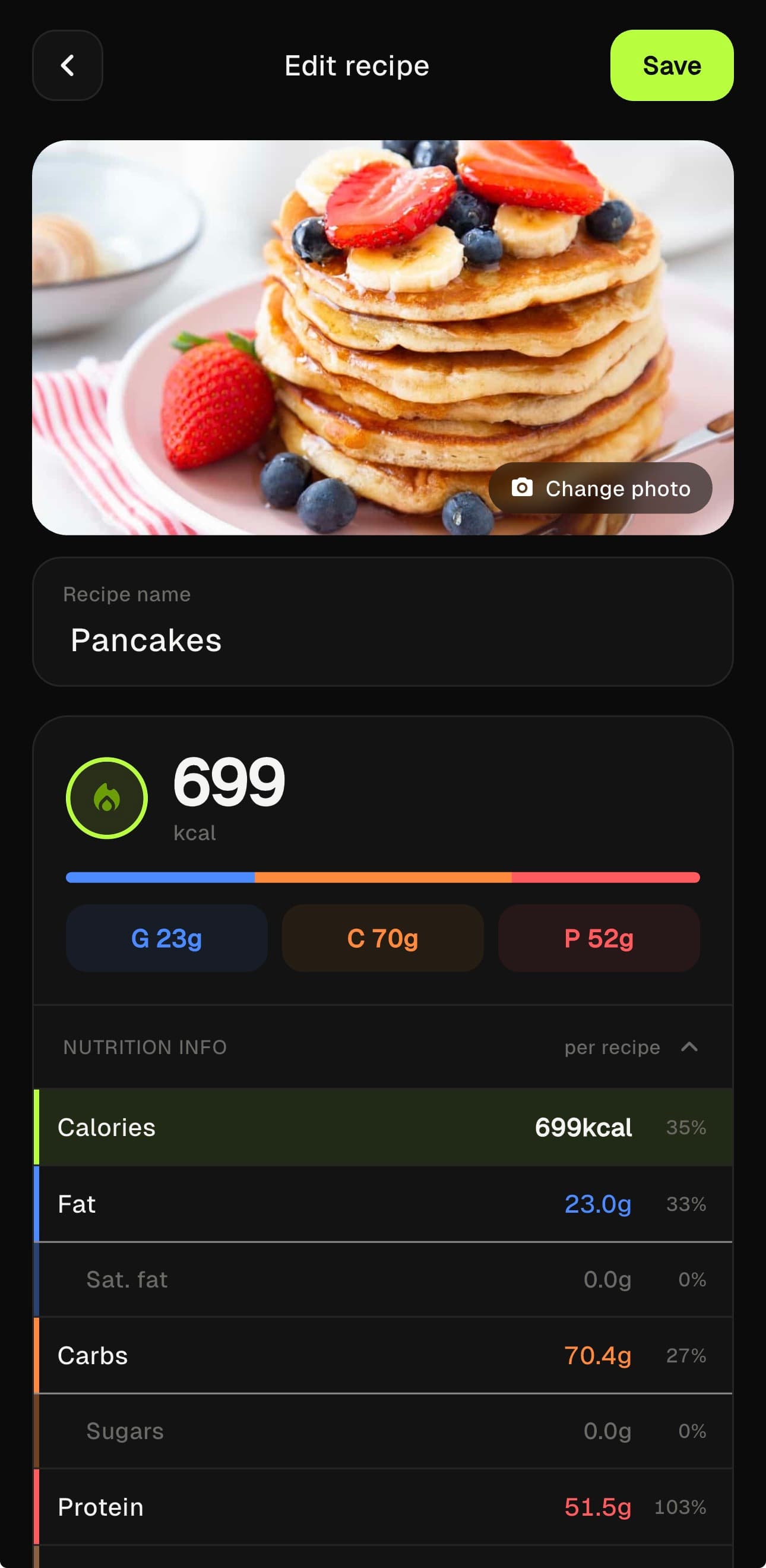
Three macros.
Three colors. Always in the same order.
What you train,
truly measured.
Calories burned,
done right.
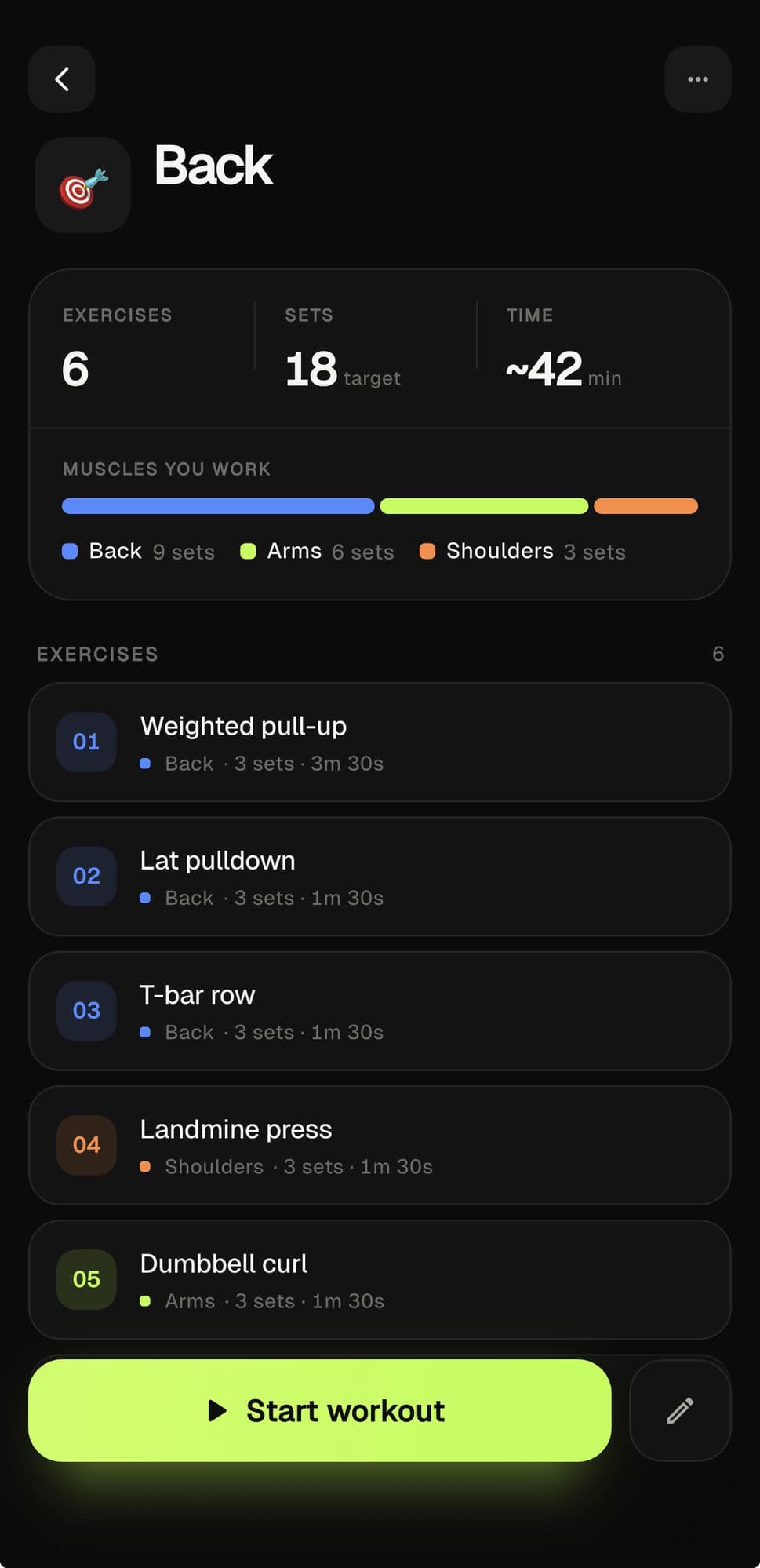
Two ways to log: live, with a stopwatch and a rest timer between sets; or by hand, jotting down what you remember. Energy is worked out from your weight and the real MET of each activity. No made-up heart rate.
- 0113 curated activities · strength, running, cycling, HIIT
- 02Live mode: sets, reps, weights and rest in real time
- 03Save reusable routines
- 04History by workout, exercise and muscle group
The workout,
in the cold light.
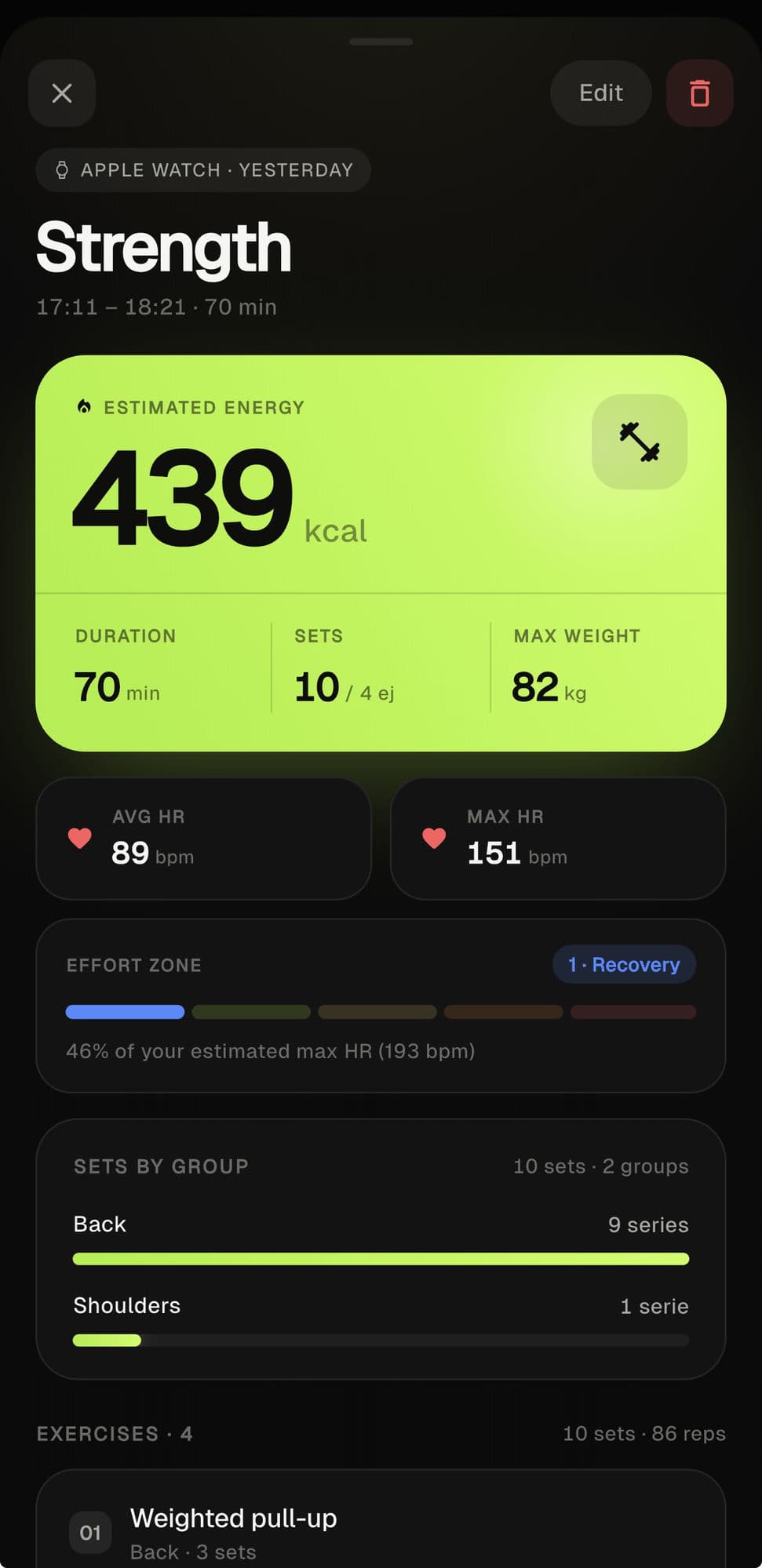
When you finish, the summary: estimated energy, duration, sets and max weight. And if you train with an Apple Watch, your average and max HR, the effort zone and how sets break down by muscle group. The numbers that were left, not a feeling.
- 01Energy, duration, sets and max weight · at a glance
- 02Average and max HR and effort zone from your Apple Watch
- 03Sets by muscle group, with their real split
- 04Edit or delete the session whenever you want
Your body talks
at night too.
Sleep, heart
and recovery.
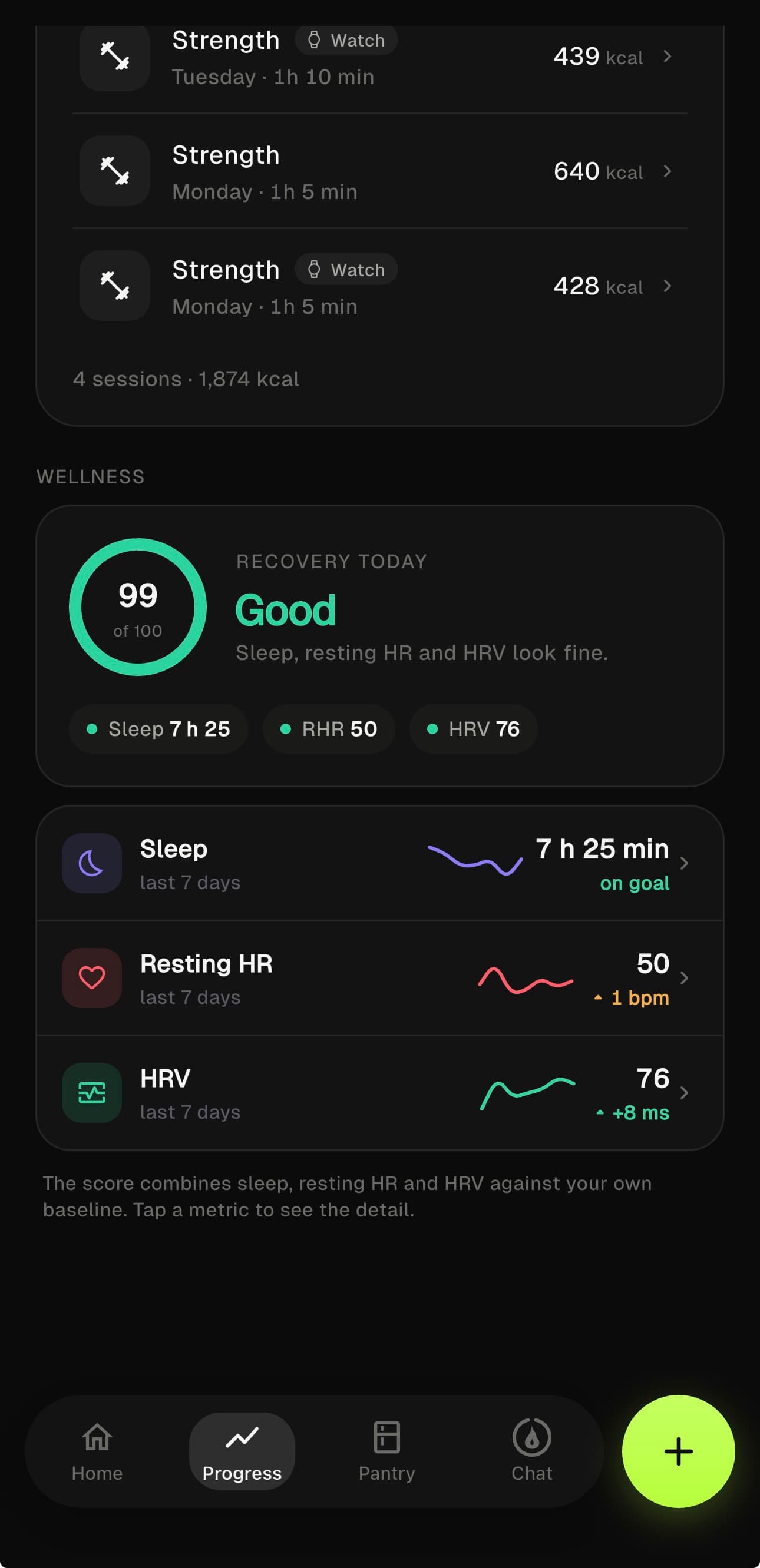
From your watch’s data: how much and how you sleep by stage, your resting heart rate and your variability (HRV). Thirty-day trends, no diagnoses or alarms, just your signals so you can read your own recovery.
- 01Total sleep and stages · deep, REM, light and awake
- 02Resting HR, with the trend over the last 30 days
- 03HRV in ms · what counts is the trend, not a single day
- 04From Apple Health · with its own screen for each signal
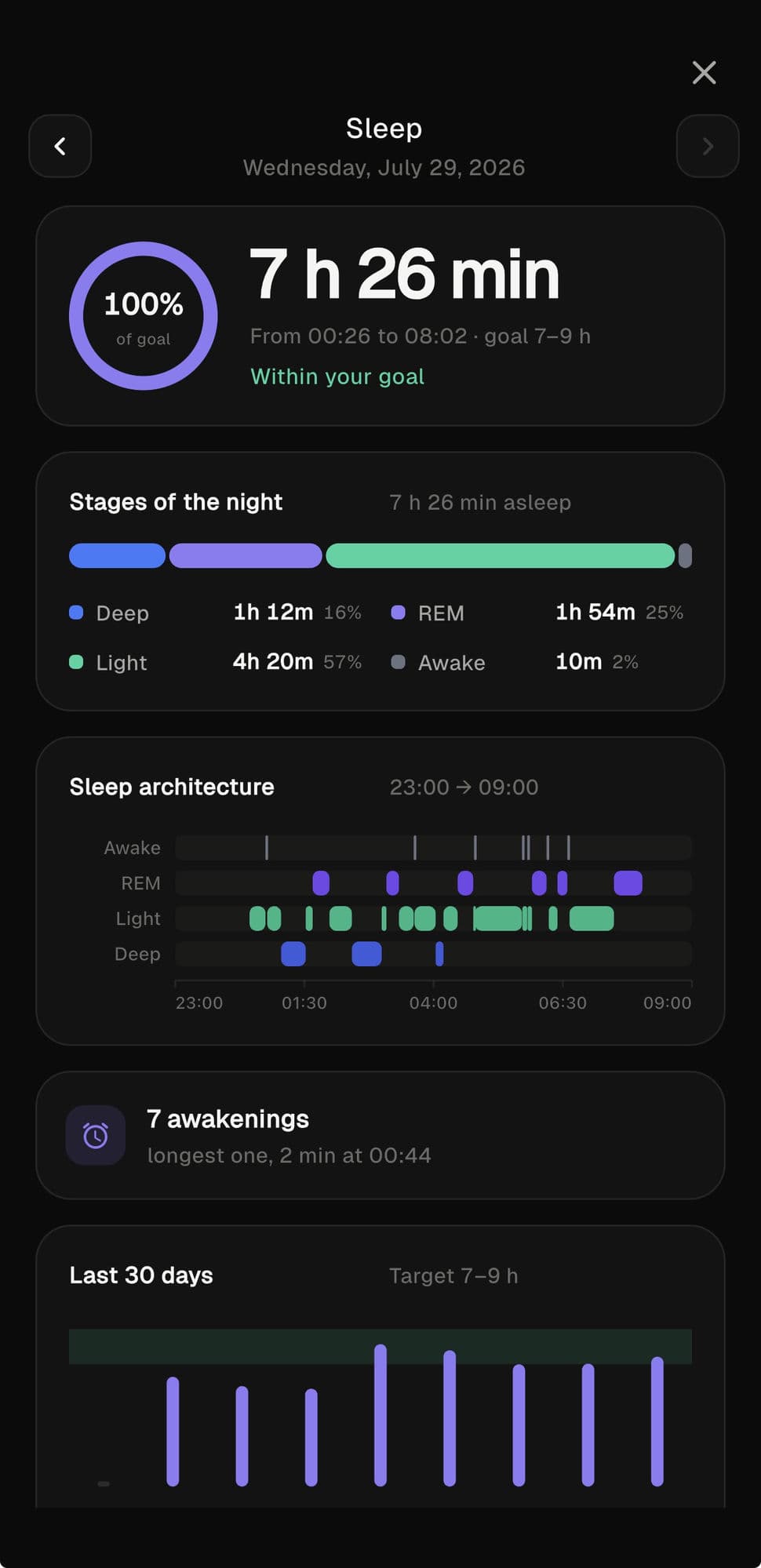
Your night,
by stage.
How much you slept and how: deep, REM, light and awake, with the architecture of the night hour by hour. Your hours target, the awakenings and the trend over the last 30 days. The watch data, read without drama.
- 01Stages of the night · deep, REM, light and awake
- 02Sleep architecture, band by band
- 03Hours target and awakenings of the night
- 04Trend over the last 30 days
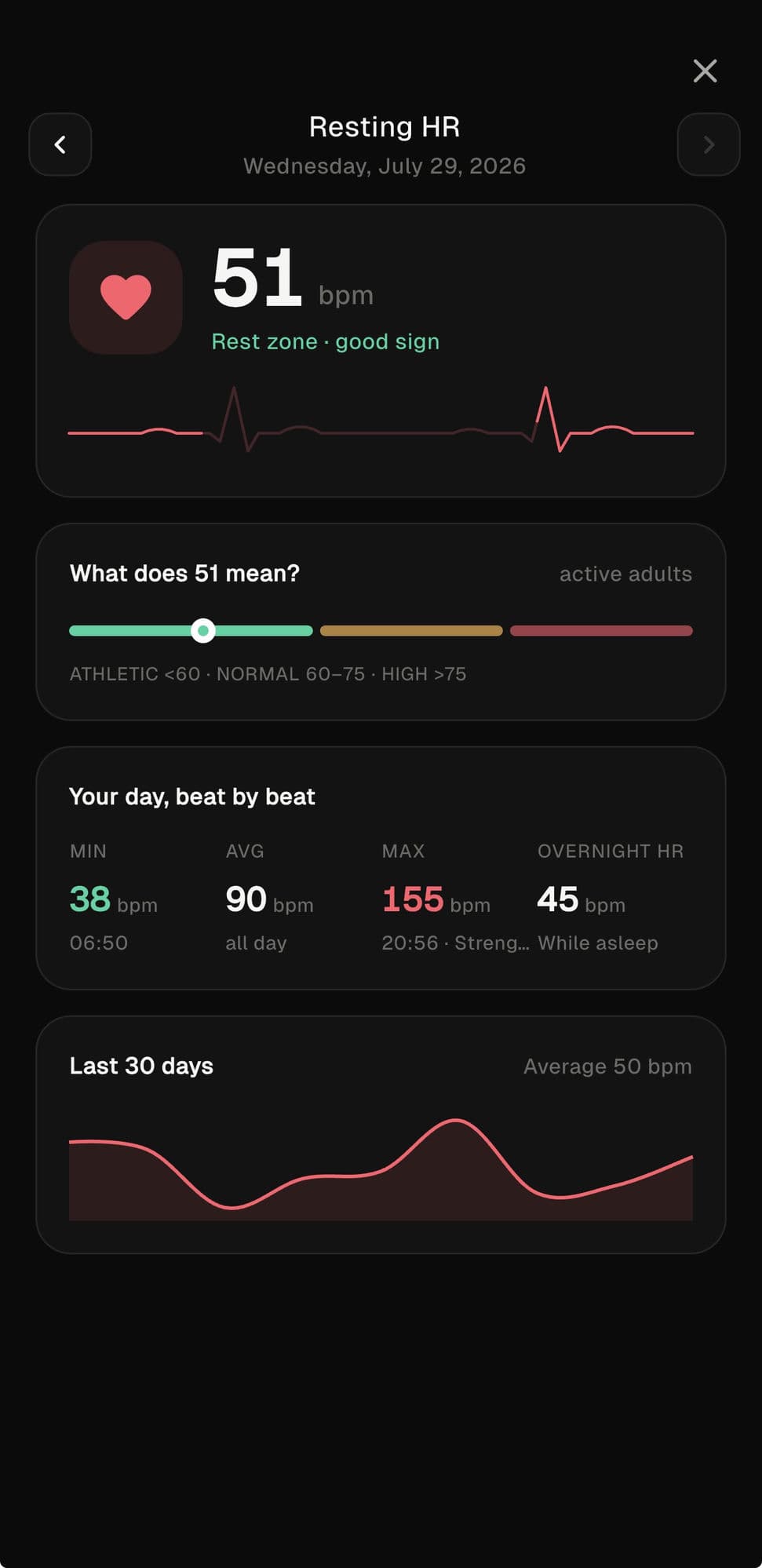
Your heart,
at rest.
Your resting heart rate and what it means for your profile. The day beat by beat: min, average, max and overnight HR. And the 30-day trend, because a single beat says nothing; the line does.
- 01Your resting HR, placed in its real range
- 02The day beat by beat · min, average, max and overnight
- 03Trend over the last 30 days
- 04No alarms or diagnoses · just your signal
AI in its place:
at your service.
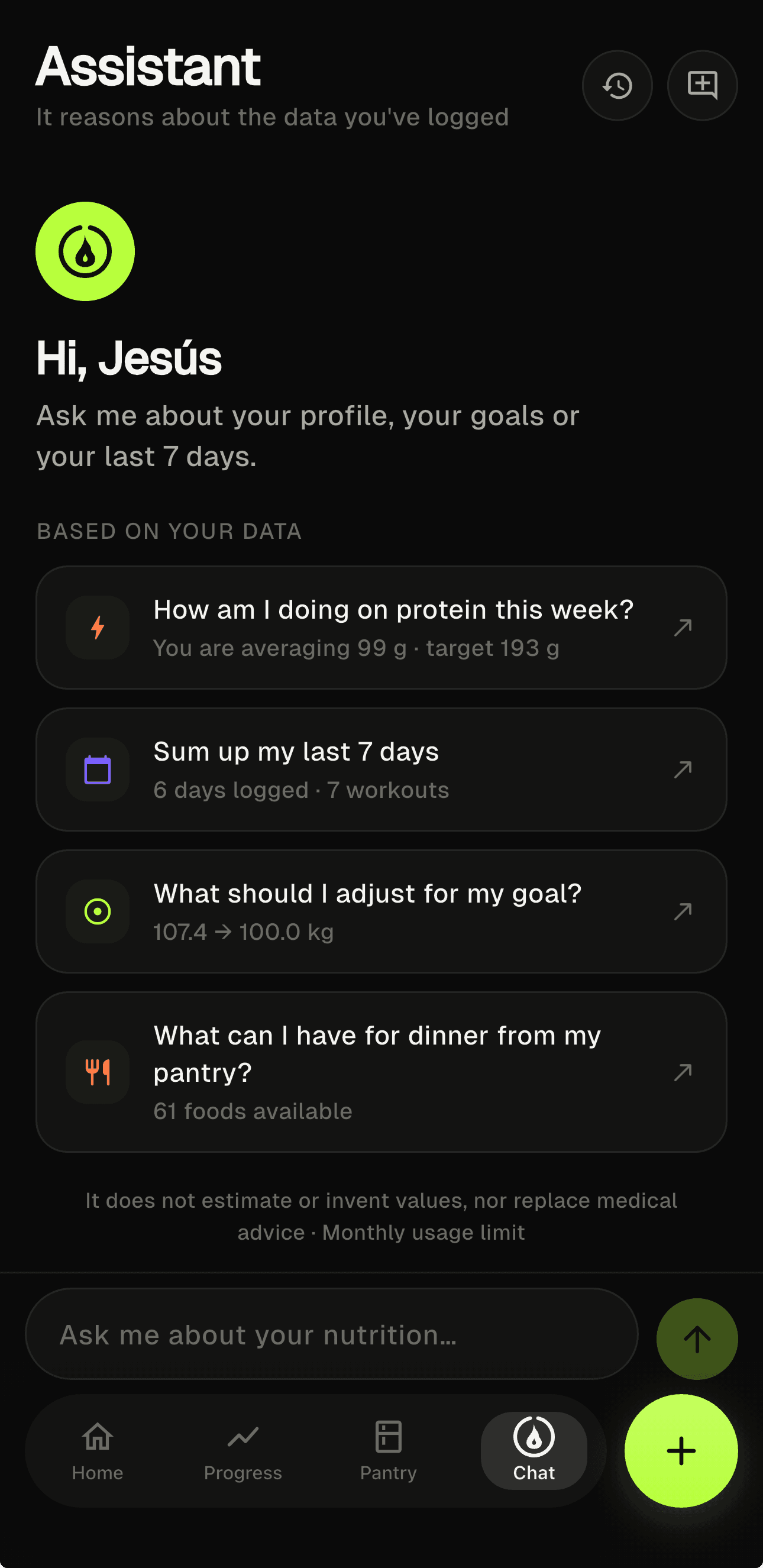
An assistant that
knows your data.
When you ask, not before. The assistant reasons over what you’ve already logged: your meals, your macros, your week. It settles nutrition and training questions without making up your figures. And stays quiet the rest of the time.
- 01Reasons over your real data, the data you already logged
- 02Answers to your nutrition and training questions
- 03Never estimates your calories or macros · those are formulas
- 04Optional and on demand · with a generous monthly limit
Ask, and it answers
with your own.
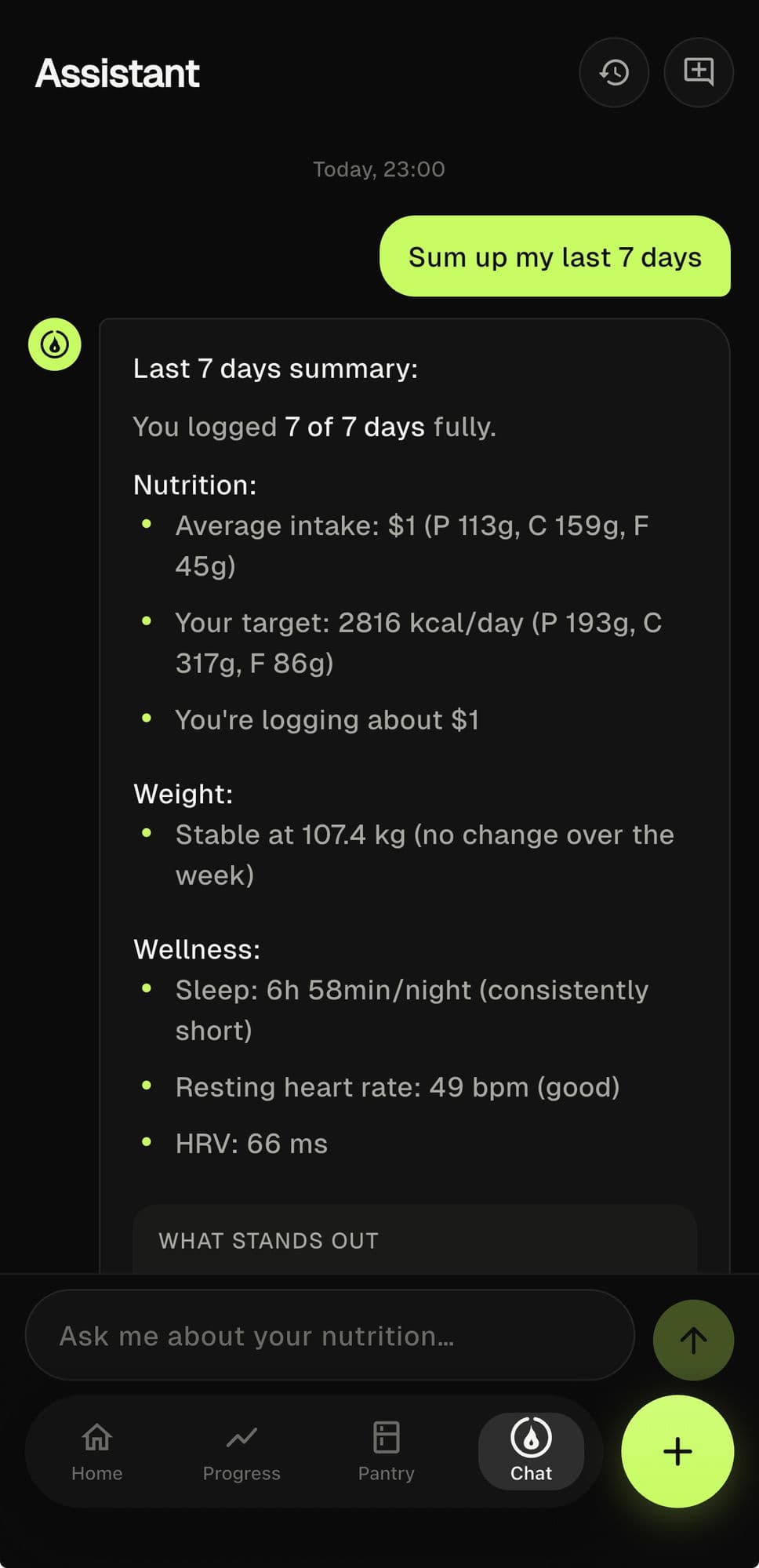
You ask it to sum up your week and it hands you back your figures: logging, average nutrition, weight and wellbeing. Nothing invented, all of it from what you already logged. An answer you can check against your own data.
- 01Summaries of your week with your real figures
- 02Logging, nutrition, weight and wellbeing · in one message
- 03Zero estimates · if you didn’t log it, it won’t make it up
- 04On demand · with your monthly limit always in view